Tehnička dokumentacija
Tehnički podaci
Brand
OkdoProduct Type
HMI Development Tool
Standards/Approvals
No
Kit Name
Joystick Module
User Interface
Joystick
Kit Classification
Module
For Use With
Micro:bit and Arduino
Featured Device
Joystick Module (000x0000 Article Number) (TS2184)
Zemlja podrijetla
China
Detalji o proizvodu
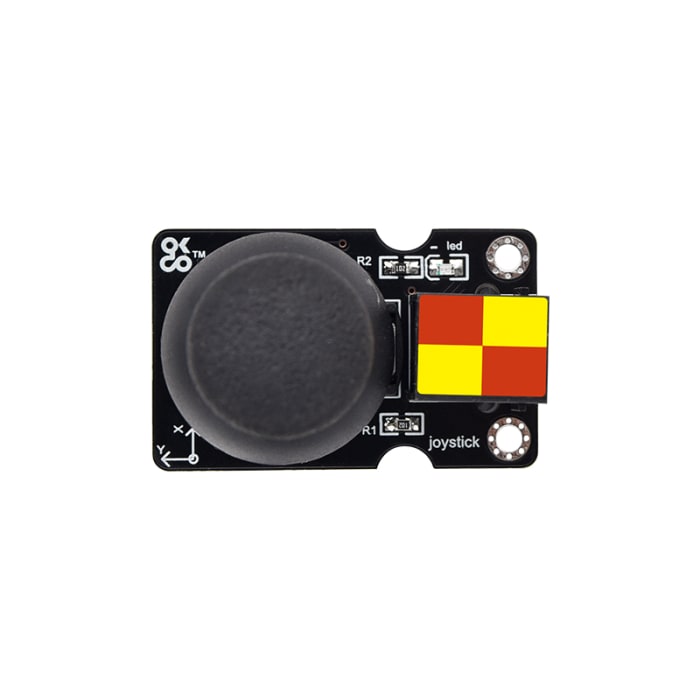
The Okdo joystick module mainly uses the PS2 joystick component. In fact, it has three signal terminal pins, which simulate X axis, Y axis and Z axis. When controlling, the X and Y signal terminals of the module are connected to the analog port of the control board. The signal terminal B is generally connected to the digital port and used as a button. You can determine how the joystick on the module works by reading two analog values and high/low levels at a digital port.
For use with micro:bit, please order the <a href="https://uk.rs-online.com/web/p/led-development-tools/2576754?searchId=ae9694c0-1440-4a34-9747-89c234add665&gb=s">Okdo BBC Micro:bit Expansion Board</a>
For use with Arduino, please order the <a href="https://uk.rs-online.com/web/p/power-motor-robotics-development-tools/2576803?gb=s">Okdo Control Board for Arduino</a>
Cable required: <a href="https://uk.rs-online.com/web/p/stem-electronic-components/0350575">Okdo OR0388 Cable Kit | RS</a>
Informacije o stanju skladišta trenutno nisu dostupne.
€ 5,79
€ 5,79 Each (bez PDV-a)
€ 6,77
€ 6,77 Each (s PDV-om)
1
€ 5,79
€ 5,79 Each (bez PDV-a)
€ 6,77
€ 6,77 Each (s PDV-om)
Informacije o stanju skladišta trenutno nisu dostupne.
1
Tehnička dokumentacija
Tehnički podaci
Brand
OkdoProduct Type
HMI Development Tool
Standards/Approvals
No
Kit Name
Joystick Module
User Interface
Joystick
Kit Classification
Module
For Use With
Micro:bit and Arduino
Featured Device
Joystick Module (000x0000 Article Number) (TS2184)
Zemlja podrijetla
China
Detalji o proizvodu
The Okdo joystick module mainly uses the PS2 joystick component. In fact, it has three signal terminal pins, which simulate X axis, Y axis and Z axis. When controlling, the X and Y signal terminals of the module are connected to the analog port of the control board. The signal terminal B is generally connected to the digital port and used as a button. You can determine how the joystick on the module works by reading two analog values and high/low levels at a digital port.
For use with micro:bit, please order the <a href="https://uk.rs-online.com/web/p/led-development-tools/2576754?searchId=ae9694c0-1440-4a34-9747-89c234add665&gb=s">Okdo BBC Micro:bit Expansion Board</a>
For use with Arduino, please order the <a href="https://uk.rs-online.com/web/p/power-motor-robotics-development-tools/2576803?gb=s">Okdo Control Board for Arduino</a>
Cable required: <a href="https://uk.rs-online.com/web/p/stem-electronic-components/0350575">Okdo OR0388 Cable Kit | RS</a>