Tehnička dokumentacija
Tehnički podaci
Brand
MicrochipProduct Type
Debugger
Sub Type
Development Kit
Kit Contents
In-Circuit Debugger/Programmer
For Use With
AVR Microcontrollers, SAM
Programmer Name
Atmel-ICE
Interface Type
TPI, 1 Wire, SPI, UPDI, JTAG, PDI, SWD
Standards/Approvals
No
Detalji o proizvodu
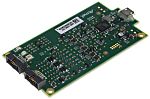
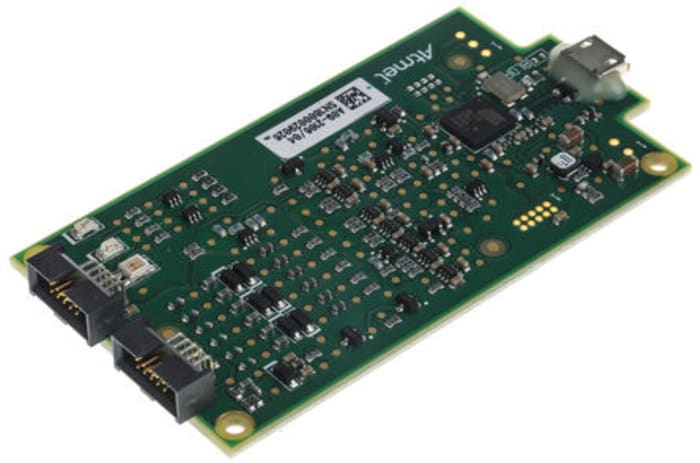
The Atmel-ICE series consists of development tools for debugging and programming ARM Cortex-M based Atmel SAM and Atmel AVR microcontrollers with on-chip debug capability. The Atmel-ICE series supports JTAG, SWD, PDI, TPI, aWire, SPI and debugWIRE interfaces and is compatible with Atmel Studio.
The Atmel-ICE unit requires that a front-end debugging environment Atmel Studio version 6.2 or later is installed on your computer. The Atmel-ICE should be connected to the host computer using the USB cable provided, or a certified Micro-USB cable.
How to turn the Atmel - ICE on?
The Atmel-ICE is powered by the USB bus voltage. It requires less than 100mA to operate, and can, therefore, be powered through a USB hub. The power LED will illuminate when the unit is plugged in. When not connected in an active programming or debugging session, the unit will enter low-power consumption mode to preserve your computer's battery. The Atmel-ICE cannot be powered down - it should be unplugged when not in use.
How does it connect?
The Atmel-ICE communicates primarily using a standard HID interface and does not require a special driver on the host computer. The Atmel-ICE must be connected to an available USB port on the host computer using the USB cable provided, or suitable USB certified micro cable. The Atmel-ICE contains a USB 2.0 compliant controller and can operate in both full-speed and high-speed modes. For best results, connect the Atmel-ICE directly to a USB 2.0 compliant high-speed hub on the host computer using the cable provided.
Sada kabelů: 177–9591
Sada adaptéru: 177–9590
Základní sada: 130–6123
Sada PCBA: 130–6124
Kompletní sada: 130–6122

Informacije o stanju skladišta trenutno nisu dostupne.
RSD 11.163
RSD 11.163 Each (bez PDV-a)
RSD 13.396
RSD 13.396 Each (s PDV-om)
1
RSD 11.163
RSD 11.163 Each (bez PDV-a)
RSD 13.396
RSD 13.396 Each (s PDV-om)
Informacije o stanju skladišta trenutno nisu dostupne.
1
Tehnička dokumentacija
Tehnički podaci
Brand
MicrochipProduct Type
Debugger
Sub Type
Development Kit
Kit Contents
In-Circuit Debugger/Programmer
For Use With
AVR Microcontrollers, SAM
Programmer Name
Atmel-ICE
Interface Type
TPI, 1 Wire, SPI, UPDI, JTAG, PDI, SWD
Standards/Approvals
No
Detalji o proizvodu
The Atmel-ICE series consists of development tools for debugging and programming ARM Cortex-M based Atmel SAM and Atmel AVR microcontrollers with on-chip debug capability. The Atmel-ICE series supports JTAG, SWD, PDI, TPI, aWire, SPI and debugWIRE interfaces and is compatible with Atmel Studio.
The Atmel-ICE unit requires that a front-end debugging environment Atmel Studio version 6.2 or later is installed on your computer. The Atmel-ICE should be connected to the host computer using the USB cable provided, or a certified Micro-USB cable.
How to turn the Atmel - ICE on?
The Atmel-ICE is powered by the USB bus voltage. It requires less than 100mA to operate, and can, therefore, be powered through a USB hub. The power LED will illuminate when the unit is plugged in. When not connected in an active programming or debugging session, the unit will enter low-power consumption mode to preserve your computer's battery. The Atmel-ICE cannot be powered down - it should be unplugged when not in use.
How does it connect?
The Atmel-ICE communicates primarily using a standard HID interface and does not require a special driver on the host computer. The Atmel-ICE must be connected to an available USB port on the host computer using the USB cable provided, or suitable USB certified micro cable. The Atmel-ICE contains a USB 2.0 compliant controller and can operate in both full-speed and high-speed modes. For best results, connect the Atmel-ICE directly to a USB 2.0 compliant high-speed hub on the host computer using the cable provided.
Sada kabelů: 177–9591
Sada adaptéru: 177–9590
Základní sada: 130–6123
Sada PCBA: 130–6124
Kompletní sada: 130–6122